
OVERVIEW
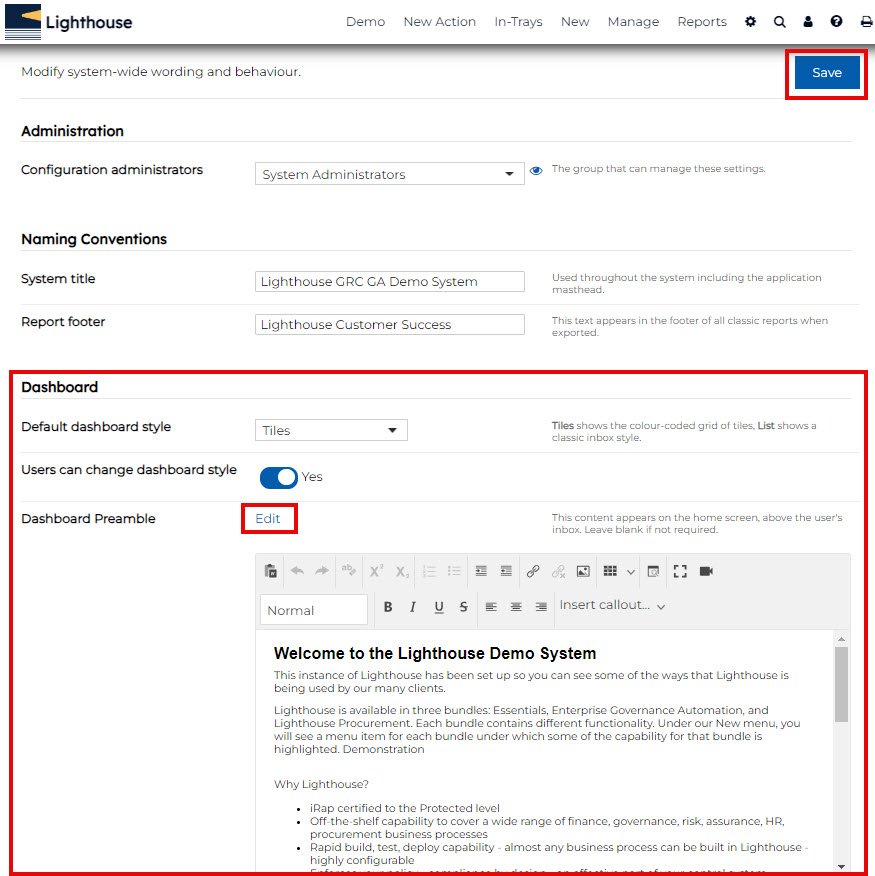
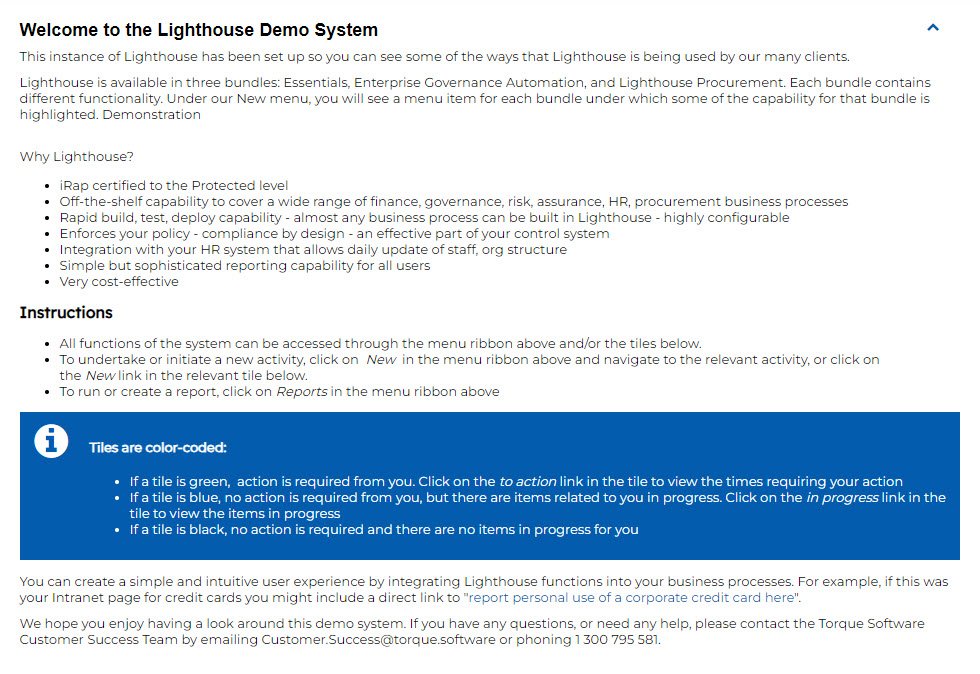
This article provides instructions on how to update the preamble text (example below) on your Lighthouse dashboard.
INSTRUCTIONS
1. Log in to your Lighthouse instance.
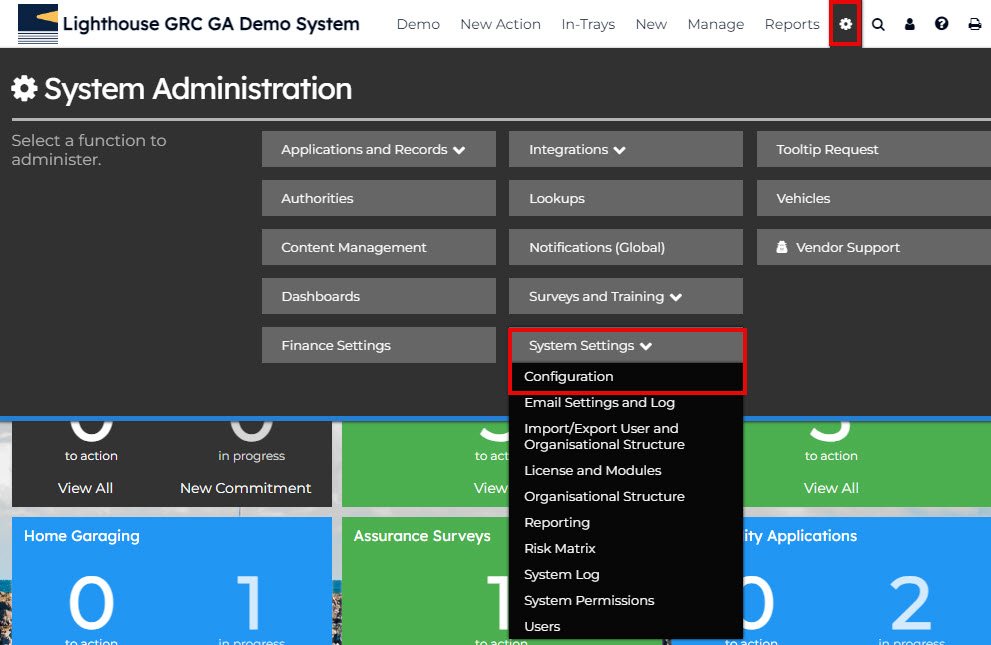
2. Select the settings cog.
3. Select ‘System Settings’.
4. Select ‘Configuration’.
5. Scroll down to ‘Dashboard‘, and click edit on ‘Dashboard Preamble’.
6. Use the textbox that appears to modify the text/layout as required.
7. Once complete, click the blue ‘Save’ button to save your changes.